
Button link, or an Embed element
Add a Plandalf checkout to your Carrd page
A normal Carrd button can open a Plandalf hosted checkout on any plan. The Embed element on Pro Standard adds an inline checkout or countdown.
Embed needs Carrd Pro Standard. Carrd is a one-page builder with no native Plandalf integration.
 Stripe
checkout.completedinvoice.paid
How it connects
Carrd is the one-page site. Plandalf is the checkout.
A button link works on any plan. The Embed element adds an inline checkout.
How Plandalf reaches Carrd
Button link, or an Embed element
A Carrd button URL pointing to the hosted checkout, or Pro Standard’s Embed element carrying the SDK.
Carrd keeps hosting the landing page. A button can open the Plandalf hosted checkout, and on Pro Standard the Embed element can hold the SDK so the checkout opens on the page or sits inline.
Checkout embed available
Carrd owns
- One-page sites and sections
- Forms and widgets
- Domains and hosting
Plandalf owns
- The Offer and its checkout
- Countdowns and promo prices
- Payment, invoice and follow-up
Same on every platform: payment goes through your own Stripe or PayPal account, Plandalf keeps the invoice, and every Offer has a hosted link and a test mode link.
What syncs
What moves between Carrd and Plandalf
No Carrd app on either side. The buyer is sent across by a link.
| What | How it works | What it needs |
|---|---|---|
| Button | A Carrd Buttons element with its URL set to the Offer’s Test mode link, then Your checkout link when live. It needs no JavaScript on Carrd. | Any Carrd plan with buttons |
| Embed element | Holds the SDK script and a data-plandalf-mount or data-plandalf-promo div for an inline checkout or countdown. | Carrd Pro Standard |
| Carrd’s Stripe widget | Carrd’s own Stripe Checkout widget takes a Stripe Price ID and a success URL. It is a separate path from Plandalf. | Pro Standard and your Stripe keys |
| Orders | A Plandalf sale is recorded in Plandalf. Carrd keeps no order. | Delivery handled in Automations |
Why add Plandalf
What Carrd’s own payments can’t do
From Carrd’s documentation. Carrd is built for simple pages, and payments are a light feature.
Widgets, embeds and custom code start at Pro Standard
Pro Lite does not include widgets, embeds or custom code. Pro Standard adds third-party widgets and your own code including script tags.
Payment-enabled forms are on Pro Plus
Forms that take payment through Stripe Checkout need Pro Plus, the top plan.
The Stripe widget is a single Price ID
Carrd’s Stripe Checkout widget is set up with a Price ID, a button label and a success URL. Order bumps, upsells and deadline pricing are not options in its documentation.
Sources: Carrd: Pro plans, Carrd: adding a Stripe Checkout button.
Set it up
Add Plandalf to Carrd in three steps
The button comes first. Add Embed only if you need the checkout on the page.
- 1
Add a button
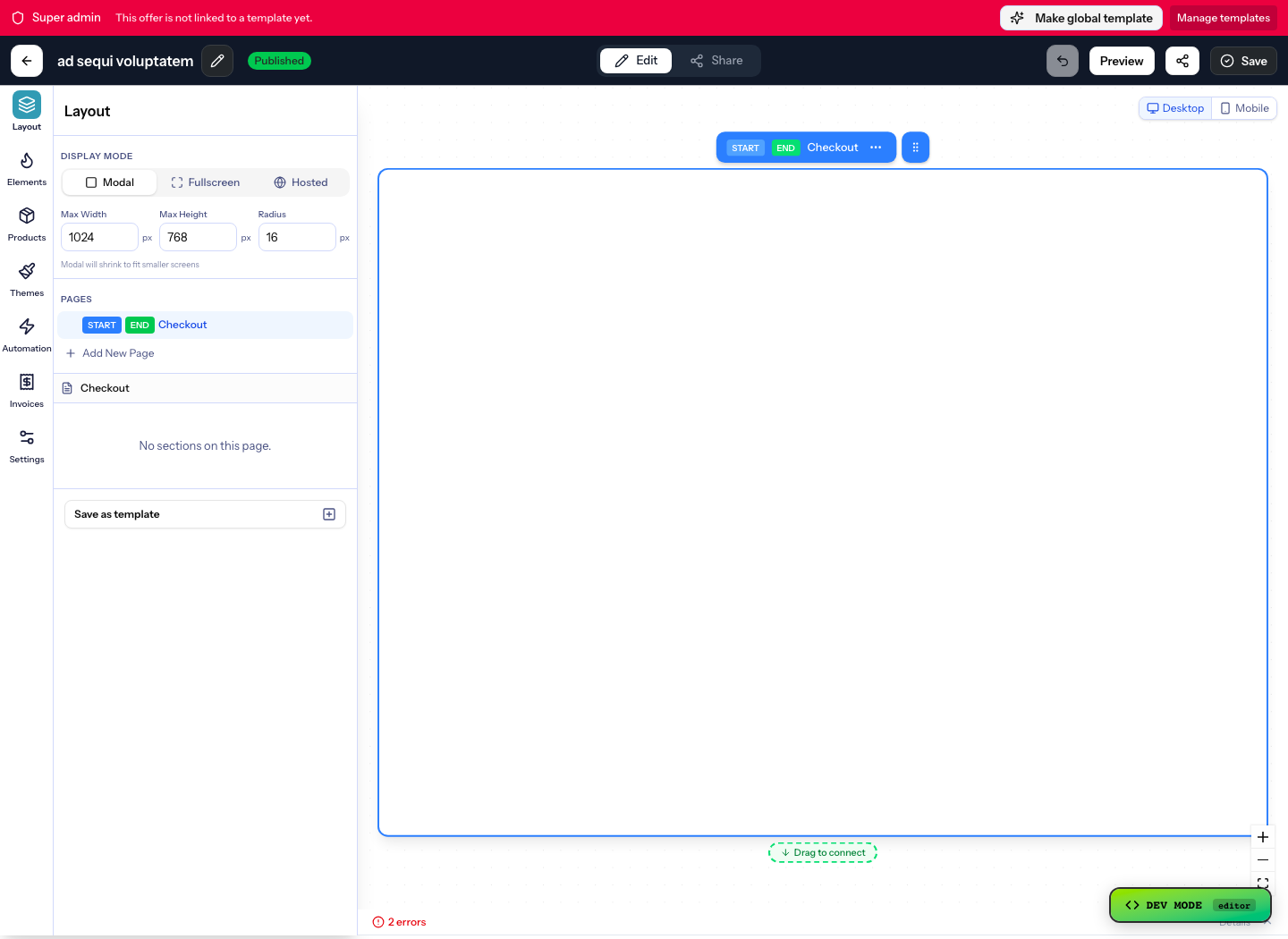
In the Carrd editor choose Add, then Buttons, then Add. Set the Label to a direct action such as Open checkout.
- 2
Paste the checkout URL
Paste the Offer’s Test mode link from Share, then Hosted link, into URL exactly as Plandalf shows it. Swap in your live link when you publish.
- 3
Optionally add Embed on Pro Standard
Choose Add, then Embed, and paste the script and a mount div. Keep one copy of the script on the page.
<script src="https://your-org.plandalf.dev/js/plandalf-sdk.js" async></script> <div data-plandalf-mount="YOUR-OFFER-SLUG" data-plandalf-mode="test"></div> - Read the Carrd setup guide →
Gotchas
What catches people out on Carrd
Embed is locked on lower plans
Choosing Embed on a plan without it opens Carrd’s Pro Standard requirement. Choose Maybe Later and keep the button.
Use the copied address
Paste the checkout address exactly as Plandalf shows it rather than rebuilding it from the Offer name, and replace any local test host before you publish.
A signed-out editor cannot publish
Carrd asks for an account before it can save or publish. Sign in to your existing site account rather than creating a second one.
Two payment paths
Carrd’s own Stripe widget and a Plandalf button can sit on one page. Pick one for each product so a buyer is not offered two checkouts.
The Embed path is not yet replayed
Our Carrd guide has a screenshot walkthrough of the button path. The Embed path still needs a fresh run on a plan that exposes the element.
Integrations
Keep your site. Upgrade how it sells.
Plus a fully documented REST API and webhook layer for whatever’s not in the list.






























Questions
Carrd checkout questions
The short answers. The docs have the long ones.
How do I add a Stripe checkout to Carrd?
The simple route is a Carrd button whose URL is a Plandalf hosted checkout, with Stripe connected in Plandalf. Carrd also has its own Stripe Checkout widget on Pro Standard, which takes a single Price ID.
Does Plandalf work on a free Carrd site?
The button path needs no JavaScript, so it works on any plan that has buttons. The Embed element needs Pro Standard.
Can I add an upsell to a Carrd checkout?
Yes, in the Plandalf Offer. Carrd’s Stripe widget documentation does not list upsells or bumps, so the Plandalf checkout that the button opens carries them.
Can I add a countdown timer to Carrd?
On Pro Standard, put the SDK and a div with data-plandalf-promo in an Embed element. It needs a fresh test on Carrd before you rely on it.
Will a Carrd sale be recorded in Carrd?
No. The sale is recorded in Plandalf and your payment provider.
Can I keep buyers on my Carrd domain?
A hosted checkout lives on your Plandalf subdomain. To keep buyers on your own domain, use the Embed element and open the checkout over the page.
The team
Built by a team obsessed with conversion.





15+ years testing every pricing model under the sun. Every part of Plandalf comes from a real checkout problem we’ve had to solve ourselves.
No credit card required. Nothing to migrate.