

Script plus custom attributes
Add a Plandalf checkout to your Webflow site
Load one script in Webflow’s footer code, add a custom attribute to any button, and the checkout opens over the page you designed.
Needs a Webflow plan that allows custom code. The embed does not create Webflow Ecommerce orders.
Webflow Stripe
checkout.completedinvoice.paid
How it connects
Designer owns the pixels. Plandalf owns the checkout.
Style the page in Designer. A custom attribute opens the checkout.
How Plandalf reaches Webflow
Script plus custom attributes
One SDK script in Site settings, then data-plandalf attributes on Designer elements. A plain link to a hosted checkout also works.
The SDK finds elements that Webflow renders from Designer attributes, so a styled button or Div Block can open a checkout, mount one inline or show a countdown. The sale is recorded in Plandalf and your payment provider, not in Webflow Ecommerce.
Checkout embed available
Webflow owns
- Pages, CMS and styling
- Hosting and publishing
- Buttons, links and embeds
Plandalf owns
- The Offer and its checkout
- Promo countdowns and pricing
- Payment, invoices and follow-up
Same on every platform: payment goes through your own Stripe or PayPal account, Plandalf keeps the invoice, and every Offer has a hosted link and a test mode link.
What syncs
What moves between Webflow and Plandalf
Webflow has no native Plandalf app. The page asks for a checkout, and Plandalf does the rest.
| What | How it works | What it needs |
|---|---|---|
| Checkout button | A Webflow button or link with data-plandalf-present set to the offer slug opens the checkout. Frame and size attributes choose a modal, slideout, bottom sheet or fullscreen. | The SDK script in Footer code |
| Inline checkout | A Div Block with data-plandalf-mount mounts the checkout in the page. | A taller min-height than the checkout needs |
| Countdown | data-plandalf-promo on a Div Block renders the countdown. data-plandalf-apply-promo on the button applies the promo price. | A promo with the same slug on both |
| Orders and delivery | The paid invoice lives in Plandalf. No Webflow Ecommerce order is created, and no membership access is granted. | A separate action in Automations for delivery |
Why add Plandalf
What Webflow’s own checkout can’t do
Webflow Ecommerce is built for stores, and its checkout is designed in Designer. Where sellers reach past it:
Its checkout guide covers layout, not offers
Webflow’s help centre explains reordering and styling the cart and checkout components. Order bumps, upsells and expiring deadline pricing are not features it documents.
Some checkout parts can’t be removed
Webflow warns that deleting or hiding components with required fields can break the checkout form, so the layout has fixed parts.
It needs an Ecommerce plan
Selling through Webflow Ecommerce means an Ecommerce plan. A Plandalf button needs only a Webflow plan that allows custom code, and sells subscriptions, courses or services without a catalog.
Sources: Customize the shopping cart and checkout experience, Custom code in head and body tags.
Set it up
Add Plandalf to Webflow in four steps
Test on a staging domain first. Preview shows custom code but visitors only get it after you publish.
- 1
Paste the SDK once
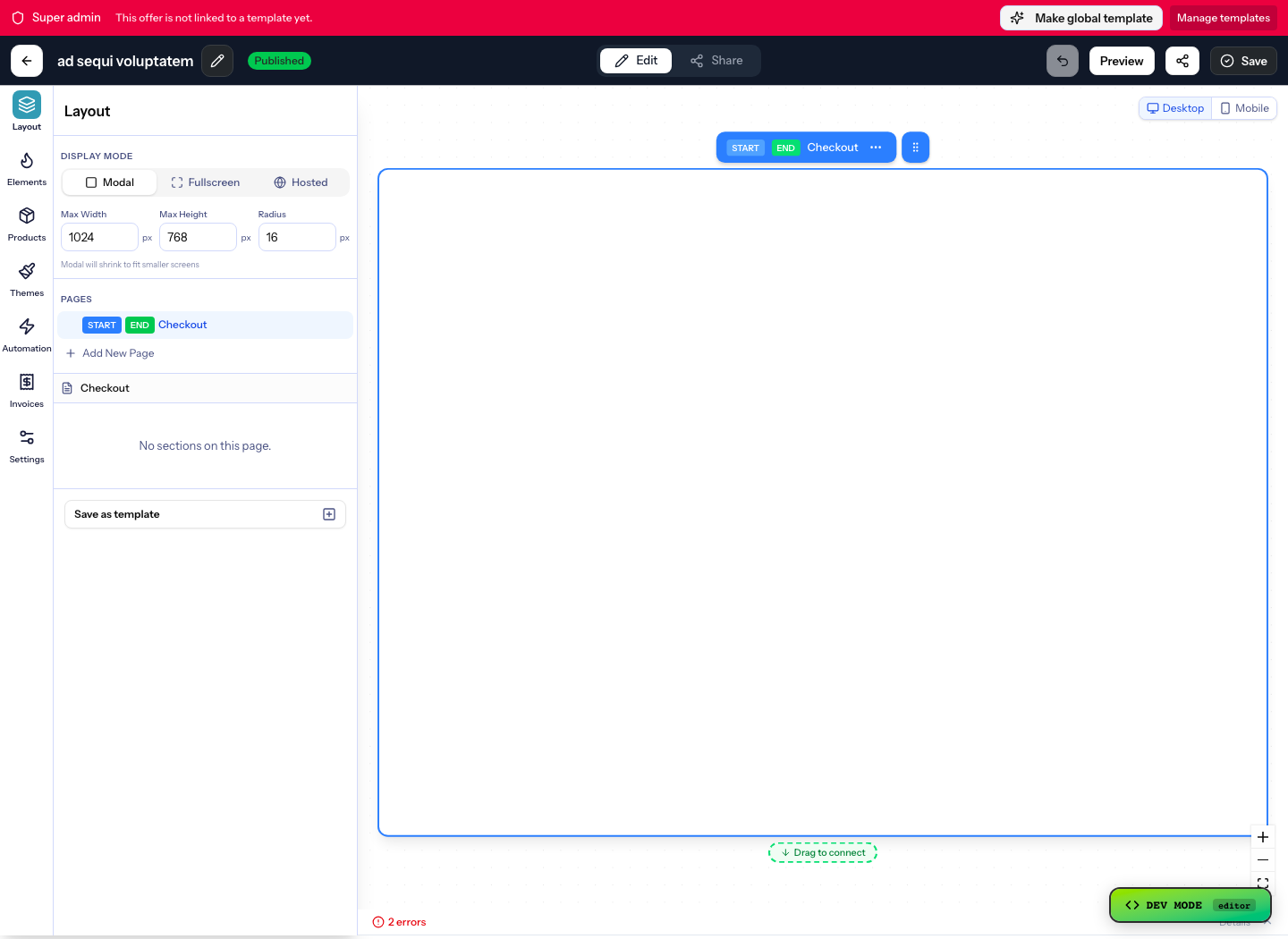
Open Site settings, then Custom code, and add your account’s script to Footer code. Do not repeat it in page code or an Embed.
<script src="https://your-org.plandalf.dev/js/plandalf-sdk.js" async></script> - 2
Style a normal button
Build the button or link in Designer as usual. Avoid swapping it for a generic Embed unless you need raw HTML.
- 3
Add the custom attribute
Select the button, open Element settings, then Custom attributes. Add data-plandalf-present with your offer slug, and data-plandalf-mode set to test while you check it.
- 4
Publish and buy once
Publish to your test domain, open the page signed out, click the button and check the product, amount and currency. Then repeat at phone width.
- Read the Webflow setup guide →
- Explore Webflow + Stripe Checkout template →
Gotchas
What catches people out on Webflow
Custom code is plan-gated
Webflow currently allows custom code on Core, Growth, Agency or Freelancer Workspaces, or on sites with an active Site plan. Check Webflow’s requirements for your account.
Test mode needs a test Stripe
data-plandalf-mode="test" only asks for test mode. Without a connected Stripe test account the checkout can run live, so verify the processor before you click Buy.
The promo widget does not change the price
data-plandalf-promo draws the countdown. Add data-plandalf-apply-promo to the button or inline mount to apply the promo tier at checkout.
No Webflow orders or API credentials
A Webflow CMS or Ecommerce workflow needs its own server-side adapter. Keep Webflow API keys out of Footer code and Embed elements.
One SDK per site
A second copy on the page can double-mount an inline checkout. Footer code already covers every page.
Integrations
Keep your site. Upgrade how it sells.
Plus a fully documented REST API and webhook layer for whatever’s not in the list.






























Questions
Webflow checkout questions
The short answers. The docs have the long ones.
Do I need Webflow Ecommerce to use Plandalf?
No. The checkout opens from a normal button, link or Div Block on a site with custom code enabled. It does not create Webflow Ecommerce orders.
How do I add a Stripe checkout to Webflow without Ecommerce?
Connect Stripe in Plandalf under Settings, Payments and Tax Integrations, publish an Offer, then add the SDK script and a data-plandalf-present attribute to a Webflow button. Stripe takes the payment in your own account.
Can I add an upsell to a Webflow checkout?
Yes, inside the Plandalf Offer. Webflow’s checkout guide covers styling its components, not upsells. The Plandalf checkout opens from your Webflow button and carries the bumps and upsells you built.
Can I show a countdown timer on Webflow?
Yes. Give a Div Block data-plandalf-promo with your promo slug, and add data-plandalf-apply-promo to the checkout button so the price follows the deadline.
Can I keep my Webflow design?
Yes. Style the page in Designer and the checkout in Plandalf. The checkout opens from your elements.
How do I use a hosted link instead of the script?
Copy Your checkout link from the Offer’s Share tab and set it as a Webflow button’s link. No script is needed. The page cannot open the checkout over itself that way, but affiliate referrals need an extra attribute on the script to cross to the checkout domain.
The team
Built by a team obsessed with conversion.





15+ years testing every pricing model under the sun. Every part of Plandalf comes from a real checkout problem we’ve had to solve ourselves.
No credit card required. Nothing to migrate.