
Calculate the price before the checkout goes live
Use the Stripe fee calculator before setting product prices, payment options, coupons, subscriptions, tax settings, hosted checkout tests, and invoices.
Tools
Use these tools when Stripe fees, checkout pricing, payment options, invoices, tax settings, or post-purchase automation affect the offer you are about to publish.
The useful path runs from fee math into prices, payment options, hosted checkout, invoices, and automation.
Builder paths
Calculators, audits, and generators should connect directly to the Plandalf surface that makes the answer operational: prices, payment options, hosted checkout, invoices, deadline campaigns, API docs, SDK checkout, webhooks, integrations, and comparisons.
Use the Stripe fee calculator before setting product prices, payment options, coupons, subscriptions, tax settings, hosted checkout tests, and invoices.
Use this path when a calculator raises the bigger question: whether Stripe Checkout alone is enough, or whether the offer, invoice, product, price, and automation context should stay together.
Use this path when the calculator output belongs in an API-first app, SDK checkout flow, webhook fanout, tax-compliant SaaS stack, CRM, or analytics workflow.
The first tool is the Stripe fee calculator because it affects product prices, coupons, tax, invoices, and the comparison between Stripe Checkout and a full Plandalf Offer.
Calculator
See exactly what Stripe takes from every transaction — and what your customer needs to pay for you to net what you want.
For Anyone selling with Stripe. Connected to Offers.
A good calculator should tell you where to act next: edit prices, adjust payment options, test checkout, check invoices, or route webhooks after purchase.
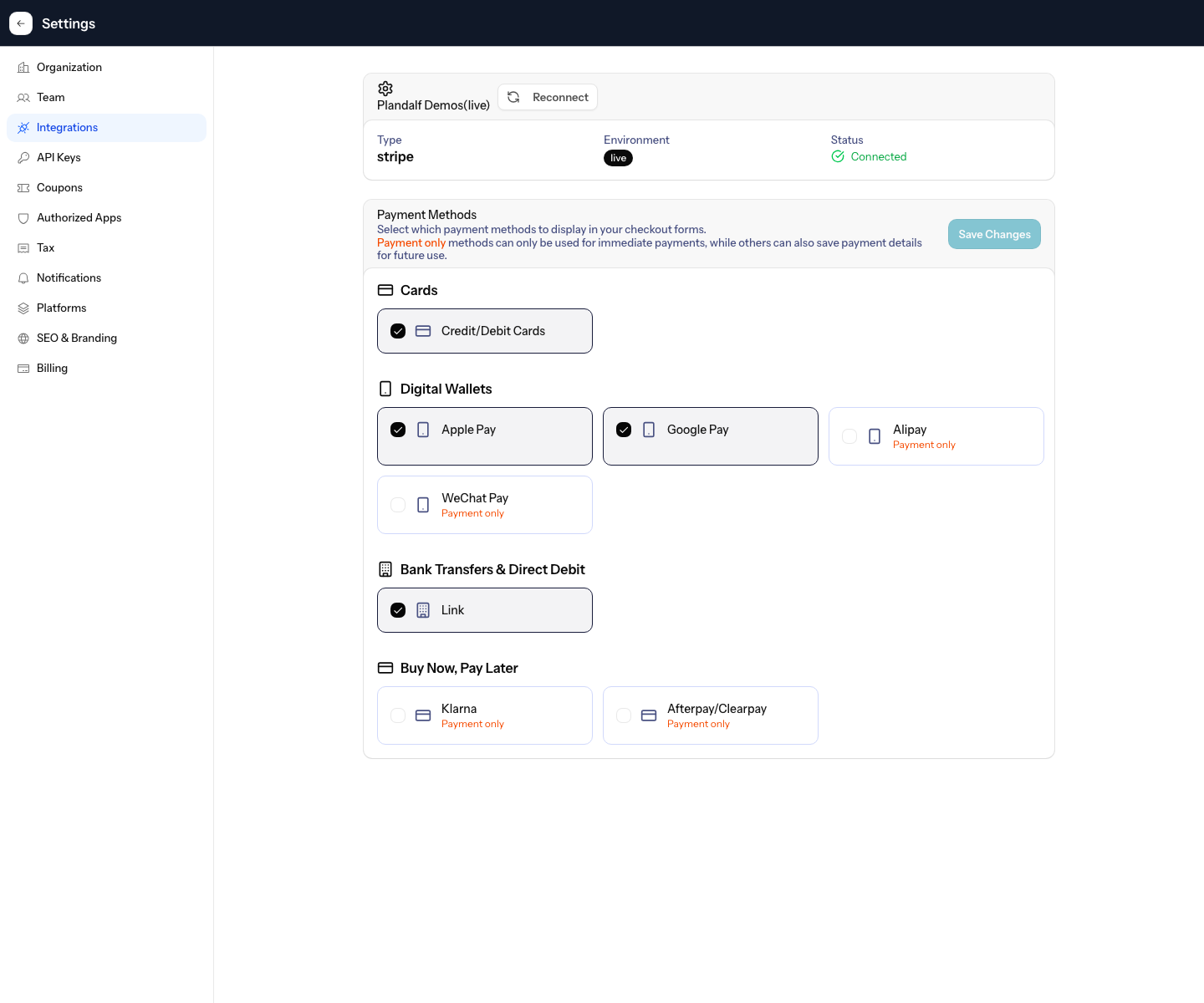
A Stripe calculator matters more when it points back to payment options, prices, checkout tests, and invoices.
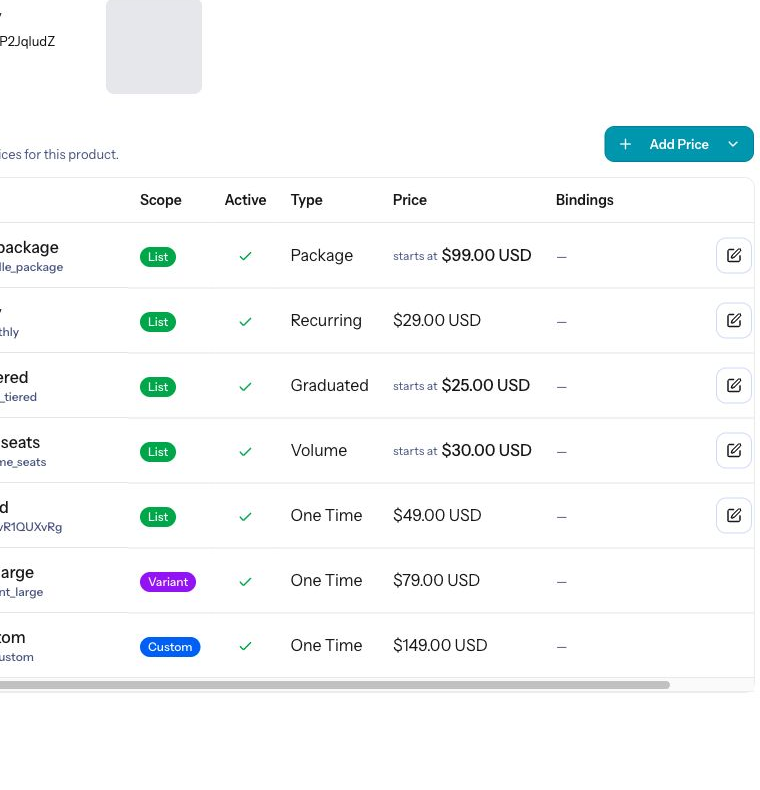
Use the result before editing prices, coupons, subscriptions, packages, and hosted checkout pages.
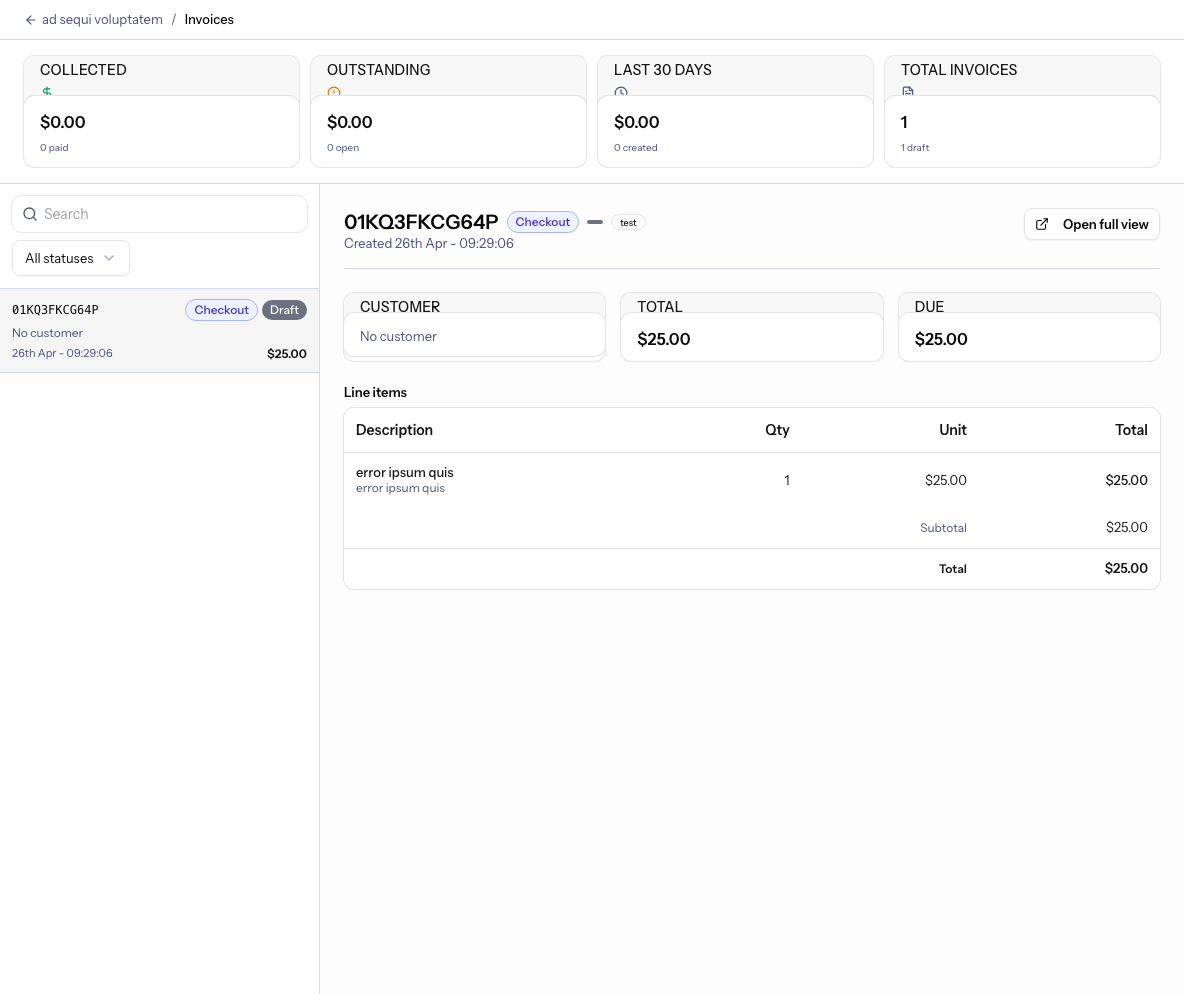
Coupon math should point into deadline campaigns, Timers, checkout prices, and save-offer sequences.
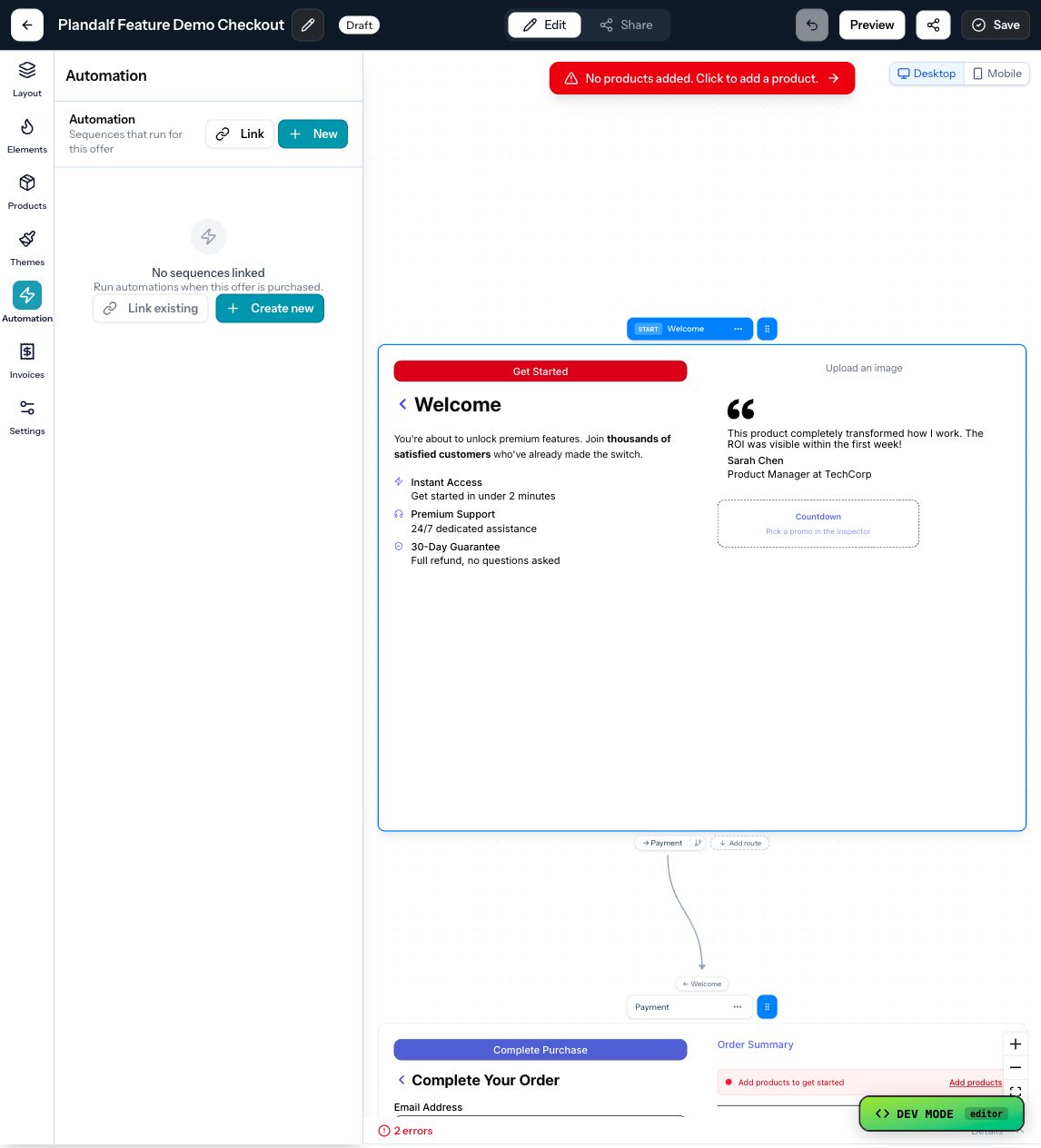
Once the price, tax, and payment path are set, purchase automations carry the checkout event into CRM, email, webhooks, and fulfilment.
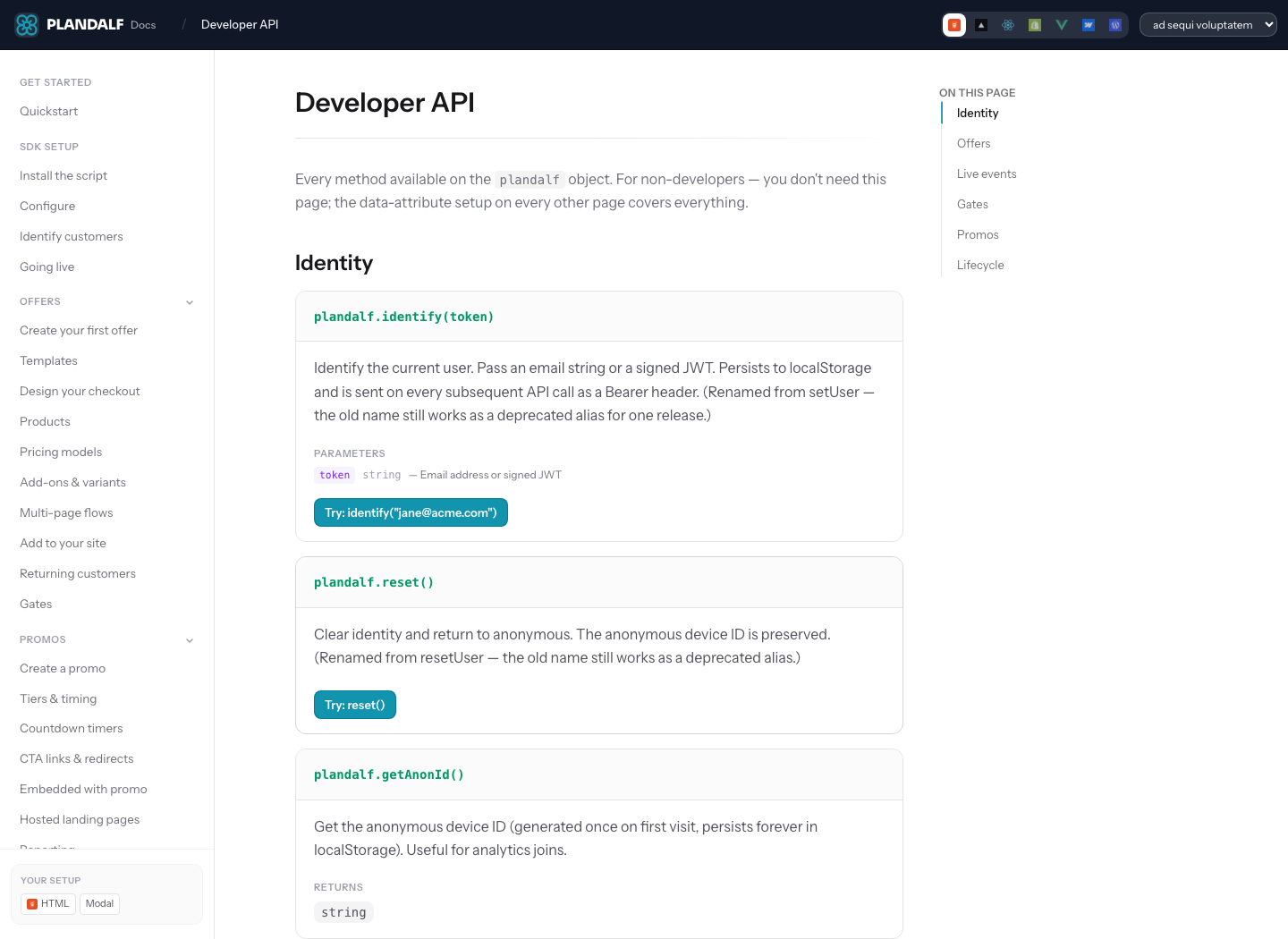
API docs, SDK checkout, and webhooks make a calculator useful to agents and developers building the next step.
When a number changes, the next useful page is usually a product, feature, integration, recipe, stack, SDK, API, or docs page.
Product
Offers
The branded sales flow for launches with moving parts.
Product
Timers
Deadlines that actually change the price.
Product
Automations
The work that happens after a customer buys.
Integration
Stripe
The complete payments platform for the internet.
Integration
PayPal
Trusted by millions of merchants worldwide.
Integration
Webflow
Integration
Shopify
Integration
Zapier
Workflow
Sell a Webflow product with Stripe Checkout
Wire a Plandalf hosted checkout into a Webflow site, accept Stripe payments, and fulfill on completion.
Template
Webflow + Stripe Checkout template
A ready-to-clone Plandalf checkout template designed for Webflow sites paying via Stripe.
Sequence
Fire fulfillment actions the moment a Plandalf checkout completes.
Stack
Charge the right VAT in 30 countries without writing tax logic, and follow up with the right receipt.
Stack
Model the catalog and pricing system before sending plan changes into lifecycle messaging.
Comparison
Compare a processor checkout with a commerce layer for offers, invoices, pricing, and follow-up.
Feature
Set one-time, package, subscription, tiered, and custom prices.
Feature
Choose cards, wallets, bank transfer, PayPal, and pay-later behavior.
Feature
Publish the buying surface connected to the product and price.
Feature
Keep records, line items, payment state, and customer context after purchase.
Feature
Keep tax settings visible next to the checkout and invoice path.
Feature
Feature
Discount the offer without losing the pricing record.
Feature
Use Timers when the price, coupon, or redirect changes after expiry.
Docs
Create product prices before publishing an Offer.
Docs
Test and publish checkout pages for customers.
Docs
Understand the Stripe connection path.
Docs
Route payment events and purchase context into another system.
Docs
Use Plandalf from custom apps, SDKs, and agents.
Docs
Build the first checkout path without wandering the site.
Use Plandalf Offers for the buying surface, Timers for deadlines, and Automations for the work after checkout.