

Developer integration
Add checkout to your React app
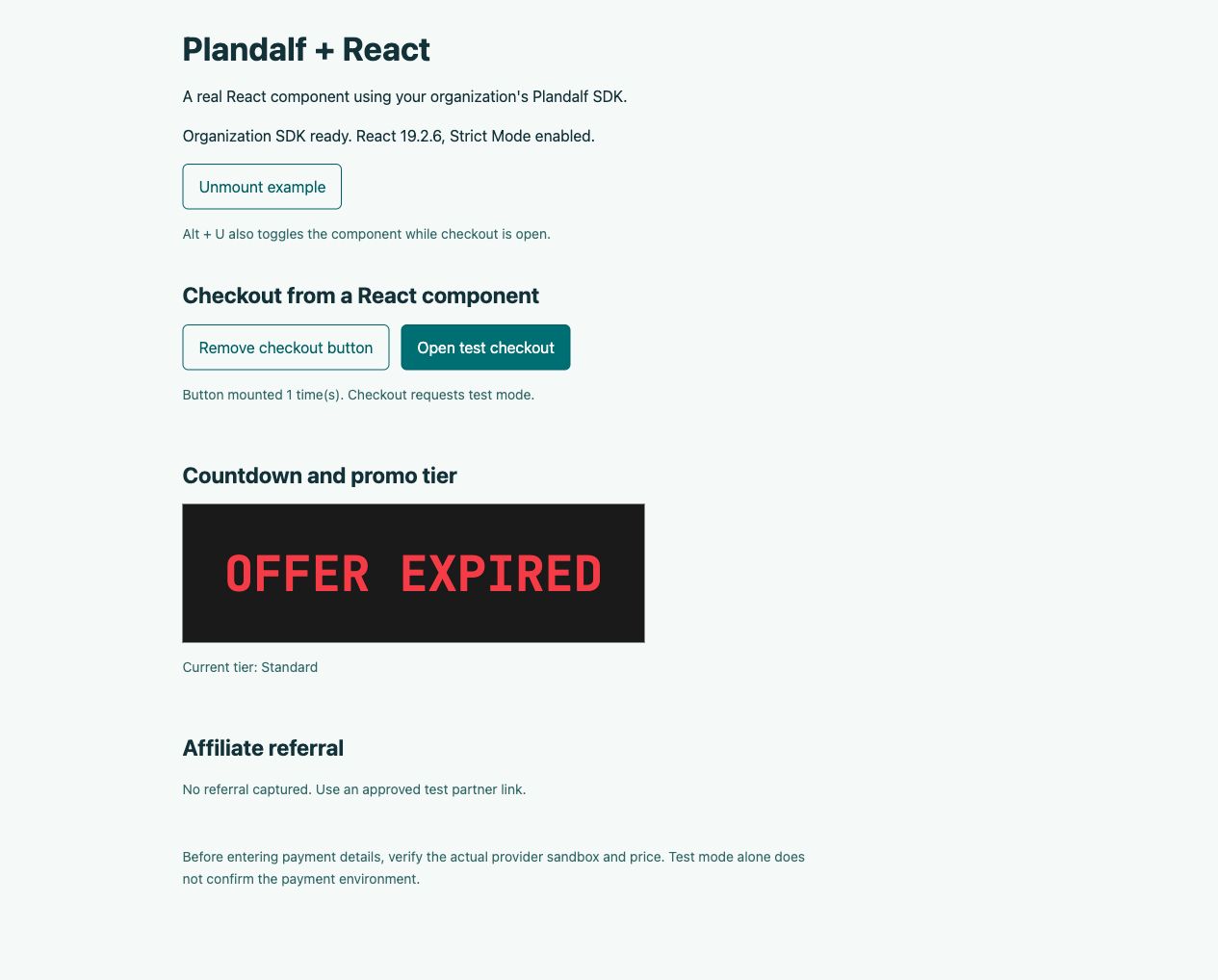
Open Plandalf checkout from React, connect a promo countdown and carry partner referrals into the purchase.
Use your organization SDK. Verify a payment sandbox before testing.
React Stripe
plandalf.present()checkout.completedwebhook → your API
Overview
How React and Plandalf split the work
React owns your application. Plandalf supplies checkout, promo state and purchase records.
Checkout embed available
Load the browser SDK once and render checkout attributes in your components. The guide covers dynamic buttons, cleanup, promo and referral setup, and the records to verify after payment.
React owns
- Your app, login and permissions
- Granting access in your own database
Plandalf owns
- Opening the checkout
- Payment, receipts and subscriptions
- Telling your backend what was bought
Set it up
Connect React in three steps
The short version. The React setup guide has the full walkthrough and the test-mode checks.
- 1
Prepare your test offer
Publish the offer, copy its slug and public organization SDK URL, and verify the actual processor sandbox and price.
- 2
Render your component
Load the SDK once. Add checkout attributes and use a new component key when its offer or promo changes. Close owned handles during cleanup.
- 3
Replay the buyer journey
Test late rendering, unmount and remount. Then reconcile a sandbox purchase, its paid invoice, referral and promised delivery.
- Read the React setup guide →
Connect each product to your React app
Follow the setup for each product, then verify its customer outcome.
| Product | Set it up | Verify before launch |
|---|---|---|
| Checkouts → | A React button or stable inline target. | The intended offer, paid invoice and matching sandbox payment. |
| Timers / Promos → | A countdown and matching promo on the checkout trigger. | Visitor deadline, tier transitions, charged amount and cleanup. |
| Affiliates · early access → | SDK on the partner landing route and an optional referral badge. | Correct partner, commission decision, refund and paid renewal. |
Local React replay includes a USD 50 sandbox purchase with test attribution, a declined payment and component cleanup. Local tier transitions also pass. Charged amounts across deadlines, full affiliate lifecycle and delivery remain pending. SDK repairs are unreleased.
Read the automation scope →Integrations
Keep your site. Upgrade how it sells.
Plus a fully documented REST API and webhook layer for whatever’s not in the list.





























Questions
Common questions about React and Plandalf
The short answers. The docs have the long ones.
Do I need the React package?
The organization-hosted browser SDK and JSX attributes are the recommended starting point. The provider and hooks examples describe the v2 workspace package; check the version note before using a public npm release.
Can buttons appear after the page loads?
Yes. The SDK observes added elements. If a bound button changes its offer or promo, replace it using a new React key rather than only changing its attributes.
Does a browser success event grant access?
Use it for immediate UI feedback. Your server must verify the paid purchase and entitlement before granting protected access or delivery.
How should I handle route changes?
Give SDK handles an explicit owner and close them when that owner unmounts. Check the guide’s countdown cleanup release note and test with Strict Mode and slow responses.
Does test mode prove the provider is a sandbox?
No. Check the actual provider connection and price before payment, then reconcile the processor amount and paid invoice.
The team
Built by a team obsessed with conversion.





15+ years testing every pricing model under the sun. Every part of Plandalf comes from a real checkout problem we’ve had to solve ourselves.
No credit card required. Nothing to migrate.