
Builder resource
Substack Shop
Turn a Substack post into a product-backed checkout without building a separate storefront.
Sell a template, report, workshop, membership, or paid download from a Substack post while Plandalf owns the offer, checkout, invoice, and purchase event.
No website required. The Substack post creates demand, a link, button, or button opens the Plandalf offer, Stripe collects payment, and the completed purchase can route buyer context into fulfilment, segmentation, or the next issue's follow-up sequence.
Built for: Newsletter operators on Substack
Architecture
Treat Plandalf Offers as the commerce layer between the sales page, the buying moment, and the payment processor. Your stack owns the audience and fulfilment experience. Plandalf owns offer configuration, checkout state, pricing rules, buyer identity, invoices, and the events that drive follow-up.
How This Stack Makes The Sale Work
Substack Shop is useful when each tool has a clear job: the audience surface creates intent, Plandalf turns that intent into a configured offer, Stripe collects payment, and the follow-up tools receive the purchase context they need.
The newsletter creates demand
Substack should keep doing the editorial work: publish the story, explain why the asset matters, and place the buying action where the reader is ready. Plandalf starts when that reader becomes a buyer.
The offer preserves the commercial record
The paid download, workshop, template, or membership should exist as a Plandalf product with a stable price, checkout layout, coupon rules, invoice settings, and Stripe payment configuration.
The purchase informs the next issue
After payment, the buyer should receive fulfilment, invoice records, and any follow-up context the newsletter needs. That makes the next issue more useful than a generic broadcast.
Choose The Pattern
Start by deciding which business moment you are building. The stack changes depending on whether checkout starts from a sales page, a launch campaign, an offer page, a checkout template, or an existing product catalog.
Turn a newsletter issue into a paid offer
Use when: The post already explains the demand: a template drop, report, workshop replay, paid download, sponsorship package, or bonus for subscribers.
Build: Keep the story and audience relationship in Substack, then send the purchase action to a Plandalf offer with products, prices, coupons, invoices, and Stripe payment options already configured.
Sell a one-off product without opening a storefront
Use when: The operator wants to test a paid asset from a newsletter before committing to a full store, course platform, or membership stack.
Build: Create a one-time product and flat-rate price, style the hosted checkout to match the publication, and reuse the same offer link across the post, button block, footer, and follow-up issue.
Follow up with buyers as subscribers
Use when: The sale should inform the next issue: buyer segmentation, fulfilment links, upgrade prompts, invoices, and support context need to survive after checkout.
Build: Use the completed purchase event to preserve buyer context, send invoice records, route fulfilment, and decide what the next Substack issue should say to buyers versus non-buyers.
Build The Offer Layer
The offer is the commercial object your product points at. It should describe what the buyer can purchase, how checkout appears, which price rules apply, what invoice gets recorded, and what automation happens after purchase.
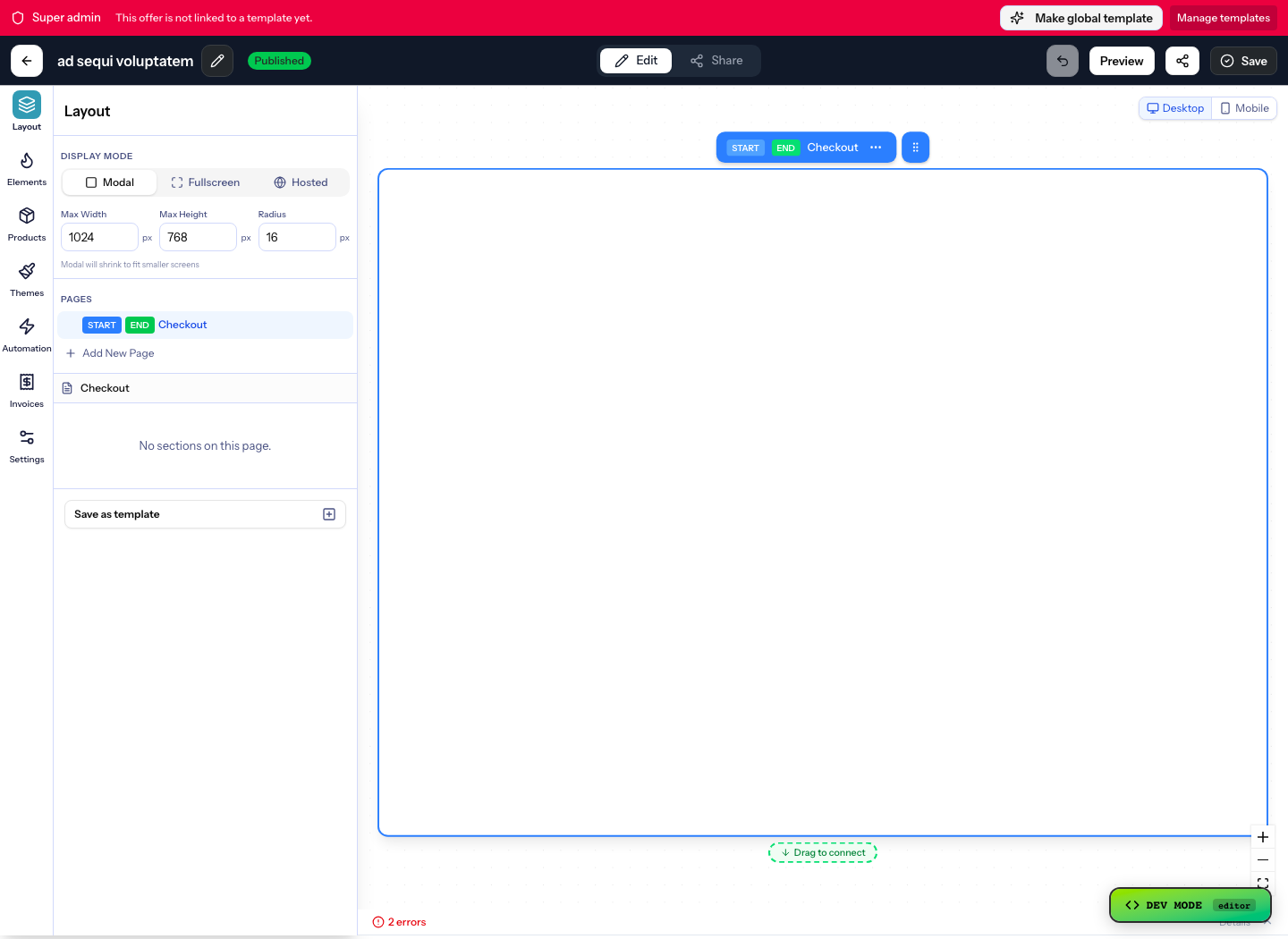
Wire The Buying Moment
The stack should decide when the buyer is ready. Plandalf should decide what the checkout means. Keep the page, campaign, or offer focused on the buying moment, then let the offer carry the checkout mode, product, price, invoice, and automation context.

Plan The Data Contract
The useful part of a commerce stack is not the button. It is the agreement between the offer, Plandalf, the payment processor, and follow-up tools about which object owns each piece of commerce state.
Product Surfaces This Stack Depends On
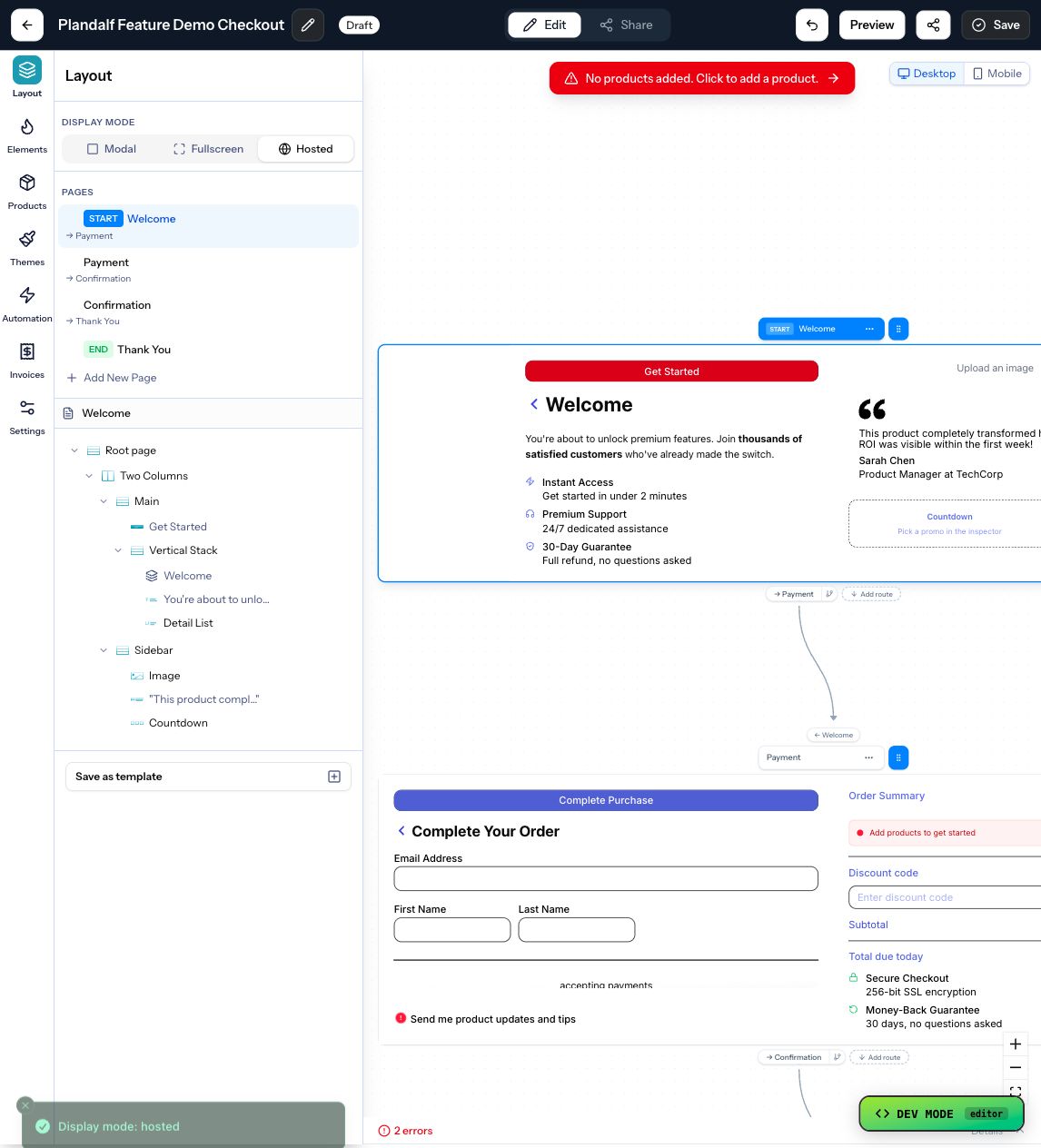
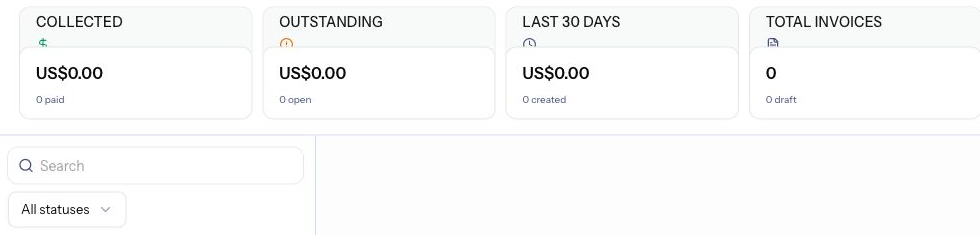
These screenshots come from the product surfaces behind Substack Shop. They show the Plandalf records and controls a builder should configure before sending buyers from the audience surface into checkout.
Build Recipes
Use these like product-specific implementation notes for a newsletter business: choose the product story, configure the Plandalf surface, then link into the exact features, integrations, sequences, and docs needed to ship it.

Sell a paid template from an issue
Outcome: A reader finishes the post, clicks the offer button, pays through Stripe, and receives the correct product record and invoice.
- Create the template as a Plandalf product with a one-time or flat-rate price.
- Build the Substack post around the result the reader gets, then place the Plandalf offer link beside the buying copy.
- Use hosted checkout or a buy button so the post stays editorial and the checkout stays product-backed.
- Route the completed purchase into fulfilment, invoice records, and buyer metadata for the next issue.
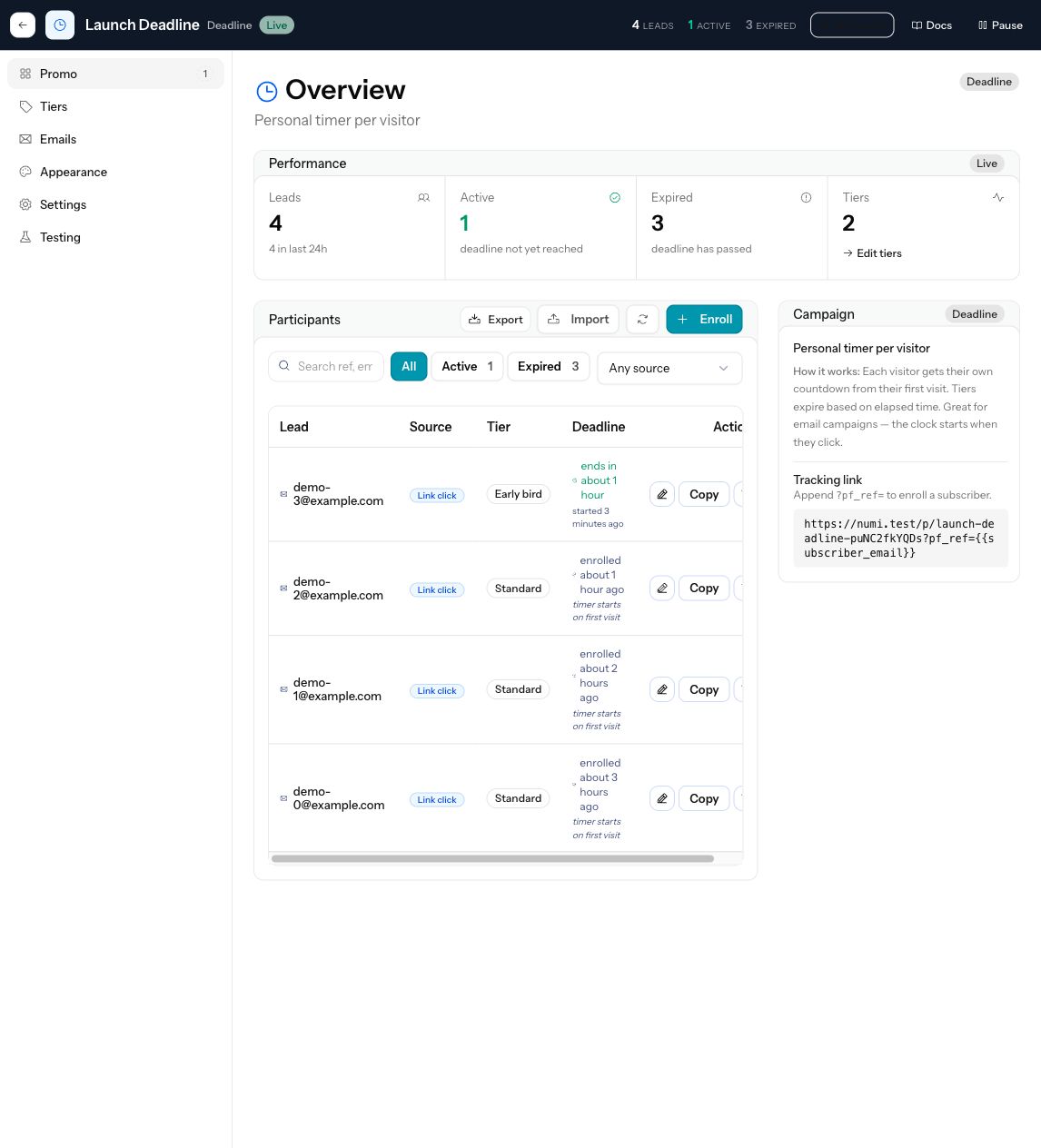
Run a limited newsletter drop
Outcome: The post, offer, coupon, checkout total, and follow-up all agree about the launch window.
- Create the offer before drafting the announcement so price and product details are settled.
- Attach a coupon or deadline campaign to the offer instead of making the discount live only in the issue copy.
- Use the same offer link in the launch post, reminder issue, footer, and paid subscriber note.
- After the window closes, use the purchase event and coupon context to separate buyers from readers.
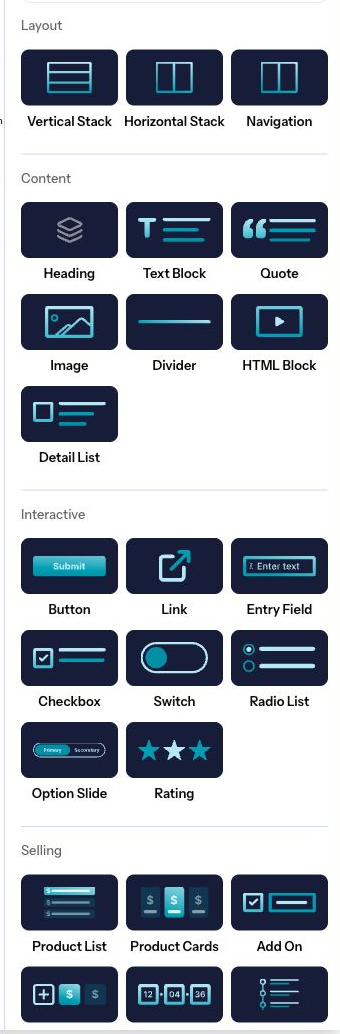
Add checkout blocks without building a storefront
Outcome: The newsletter can sell a workshop, report, download, or membership without moving into a full storefront system.
- Use the offer editor to choose the checkout layout and selling blocks the product needs.
- Keep Substack responsible for the story and use Plandalf for product selection, checkout templates, payment options, invoices, and confirmation behavior.
- Add coupons, order bumps, or upsells only when they improve the buying decision inside the offer.
- Preview and test the offer before linking it from the published post.
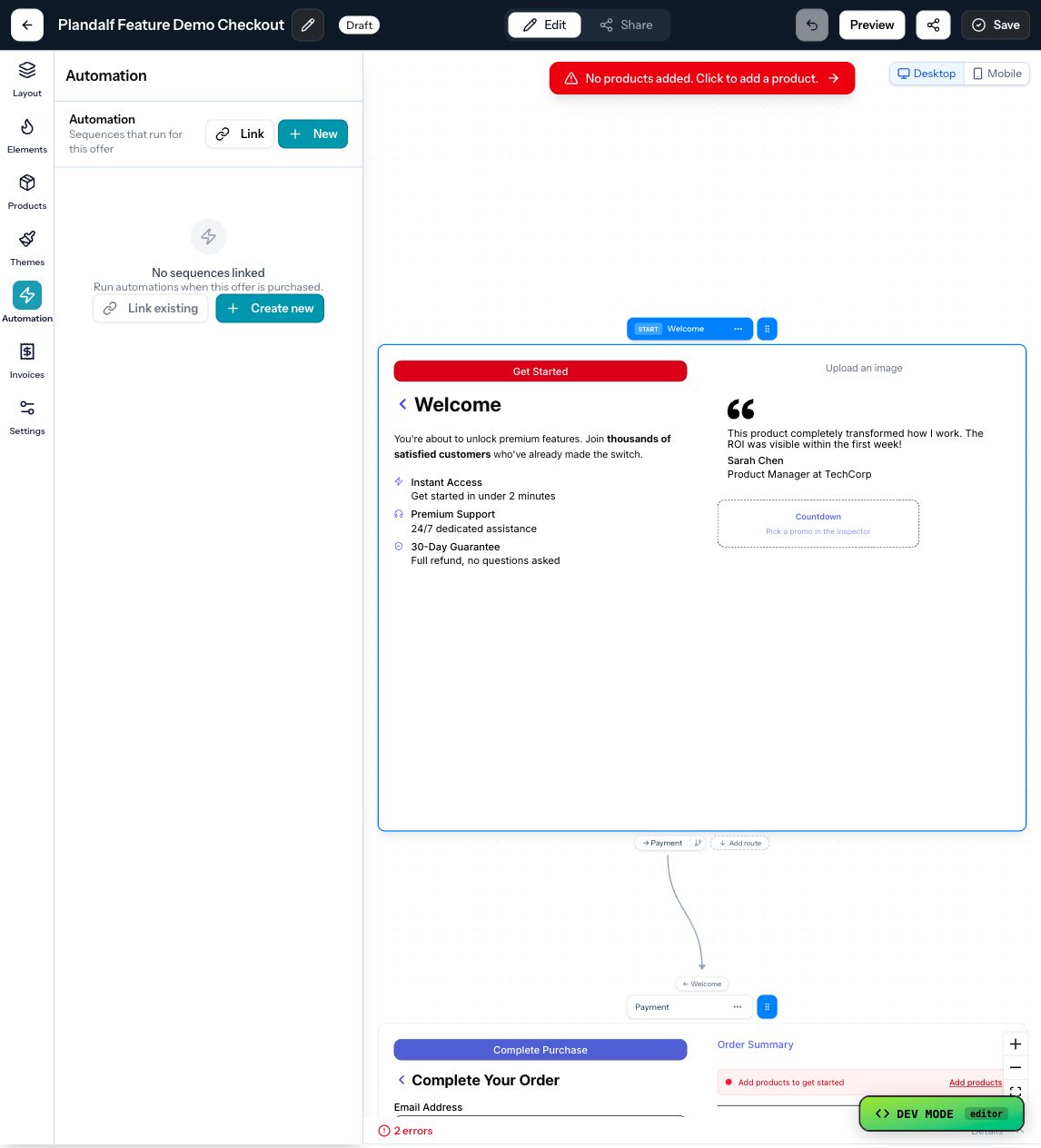
Turn buyers into a useful newsletter segment
Outcome: The next issue can treat buyers differently because the checkout preserved product, price, source, invoice, and metadata.
- Attach purchase automations to the offer before the issue goes live.
- Pass source metadata from the Substack link so purchase events keep campaign context.
- Send fulfilment and invoice email separately from editorial follow-up.
- Use buyer context to write the next issue for buyers, non-buyers, or people who clicked without purchasing.
Compare The Pattern
A commerce stack is different from a processor-only checkout, a marketplace storefront, or a standalone funnel tool. Use these linked comparisons when a builder is deciding whether Plandalf Offers should sit between the sales surface, payment processor, and follow-up tools.
Plandalf vs Gumroad
Compare with Gumroad. Use this when your product already has its own app, catalog, customer identity, and fulfilment path instead of needing a marketplace-style checkout product.
Plandalf vs SamCart
Compare with SamCart. Use this when checkout needs offer automation, product context, invoices, and post-purchase workflows rather than a separate funnel tool beside the business.
Linked Implementation Map
Use this map when Substack Shop turns from an idea into implementation work. Every linked feature, integration, docs page, workflow, comparison, template, and tool is a next step a builder or agent can follow from this stack.
Product surfaces
Configure these Plandalf features before sending buyers into the stack.
Integrations
The tools that own the audience, payment, delivery, tax, CRM, or follow-up path.
Docs handoff
Move from stack planning into exact setup, SDK, API, and webhook reference pages.
Recipes and sequences
Use these when the sale needs fulfilment, lifecycle, webhook, or automation depth.
Comparisons
Decision pages for buyers choosing between Plandalf and narrower checkout, funnel, storefront, or automation tools.
Templates and tools
Adjacent pages that help turn the stack into an implementation plan.
Operational Recipes
These are the practical recipes a builder usually needs after the checkout opens. They stay product-level: Offers, Automations, integrations, invoices, sequences, and payment events explain the workflow before any tool-specific setup.
Sell a downloadable asset from one issue
Trigger: A reader clicks the paid link or button in a Substack post
Action: Open a hosted Plandalf checkout for the download, collect payment through Stripe, then send the completed purchase event into fulfilment and invoice records.
Builder Checklist
Before shipping the integration, verify these decisions. If one is unclear, the checkout may open, but the business workflow after purchase will still be brittle.
02Identity mappedYour product can reconcile the buyer, customer, workspace, account, or entitlement after purchase.03Event path chosenFulfilment starts from a purchase event or sequence, not from a front-end success screen alone.04Records preservedInvoices, line items, payment state, and customer fields are available for support and reporting.Next Steps
The API-First Product
Split transactional email from lifecycle email so each tool does what it's good at.
The Founder List
Ship a first paid product with three tools and no automation platform in the middle.
The Coach
Take deposits and recurring retainers without re-platforming your existing site.
The Affiliate Tax Launch
Connect affiliate sales, payment options, live tax calculation, and post-purchase reconciliation.
The Course Creator
Enrol each buyer into the right cohort sequence the moment they pay.
The Template Shop
Sell digital download products with license-tier upsells and post-purchase delivery.