
Builder resource
The Course Creator
A Webflow marketing site, a Plandalf checkout, and a MailerLite drip per course.
Enrol each buyer into the right cohort sequence the moment they pay.
Webflow runs the brochure and the course landing pages, Plandalf handles per-course offers and upsells, Stripe processes payments, and MailerLite enrols each buyer into the right cohort sequence via Zapier.
Built for: Independent educators, cohort-based course operators
Architecture
Treat Plandalf Offers as the commerce layer between the sales page, the buying moment, and the payment processor. Your stack owns the audience and fulfilment experience. Plandalf owns offer configuration, checkout state, pricing rules, buyer identity, invoices, and the events that drive follow-up.
How This Stack Makes The Sale Work
The Course Creator is useful when each tool has a clear job: the audience surface creates intent, Plandalf turns that intent into a configured offer, Stripe collects payment, and the follow-up tools receive the purchase context they need.
Where the buyer starts
Webflow owns the attention layer. Keep the editorial page, newsletter block, landing page, or product screen focused on why the buyer should act, then hand the buying decision to Plandalf Offers.
What the buyer is purchasing
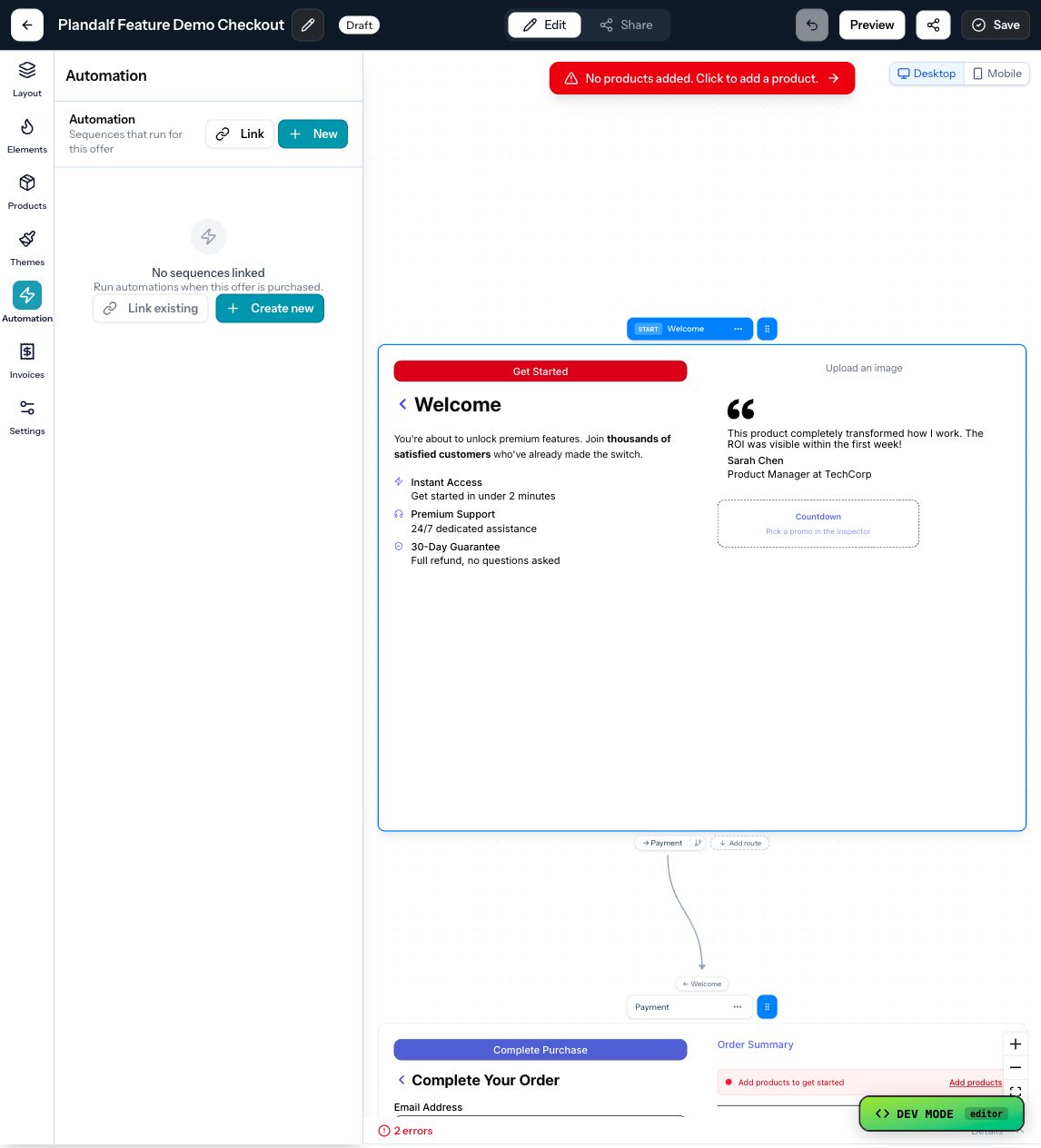
Plandalf should own the offer, products, prices, checkout mode, coupons, order bumps, upsells, invoice settings, and confirmation behavior so Stripe is not the only durable record.
What happens after payment
The purchase event should drive fulfilment, receipts, lifecycle email, CRM updates, tax context, and reporting. Zapier, MailerLite should receive commerce context instead of a bare form submission.
Choose The Pattern
Start by deciding which business moment you are building. The stack changes depending on whether checkout starts from a sales page, a launch campaign, an offer page, a checkout template, or an existing product catalog.
Sell from Webflow
Use when: Webflow already owns the audience, post, landing page, or storefront moment and only needs the checkout layer to open at the right time.
Build: Place the embedded trigger beside the buying copy, point it at a Plandalf offer, and keep products, prices, coupons, invoices, and automations inside the offer record.
Package the commercial object
Use when: The business needs a clean product, price, bundle, cohort, download, membership, or service package before traffic reaches checkout.
Build: Create the product and price, attach conversion controls such as coupons, order bumps, and upsells, then make sure the invoice and fulfilment event carry the same line-item context.
Route the work after purchase
Use when: The checkout is only useful if the buyer gets access, receives the right receipt, lands in the correct sequence, and leaves a durable record for support.
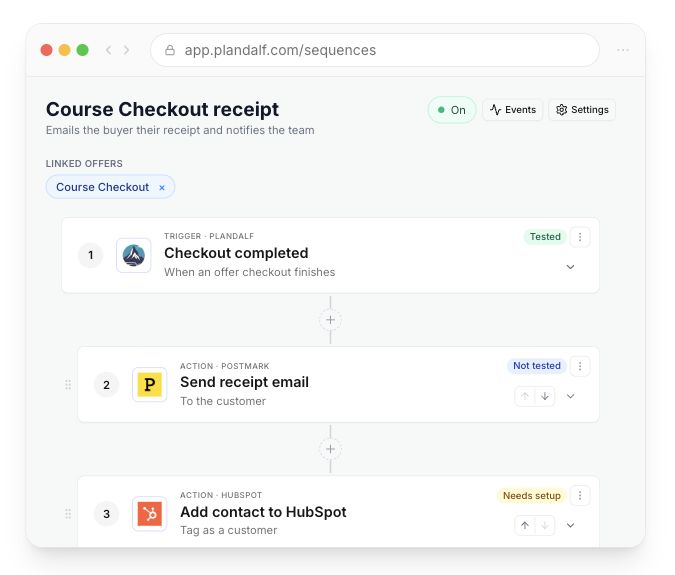
Build: Use Plandalf Automations and sequences to send the purchase event into Zapier, MailerLite, while payment stays with Stripe.
Build The Offer Layer
The offer is the commercial object your product points at. It should describe what the buyer can purchase, how checkout appears, which price rules apply, what invoice gets recorded, and what automation happens after purchase.
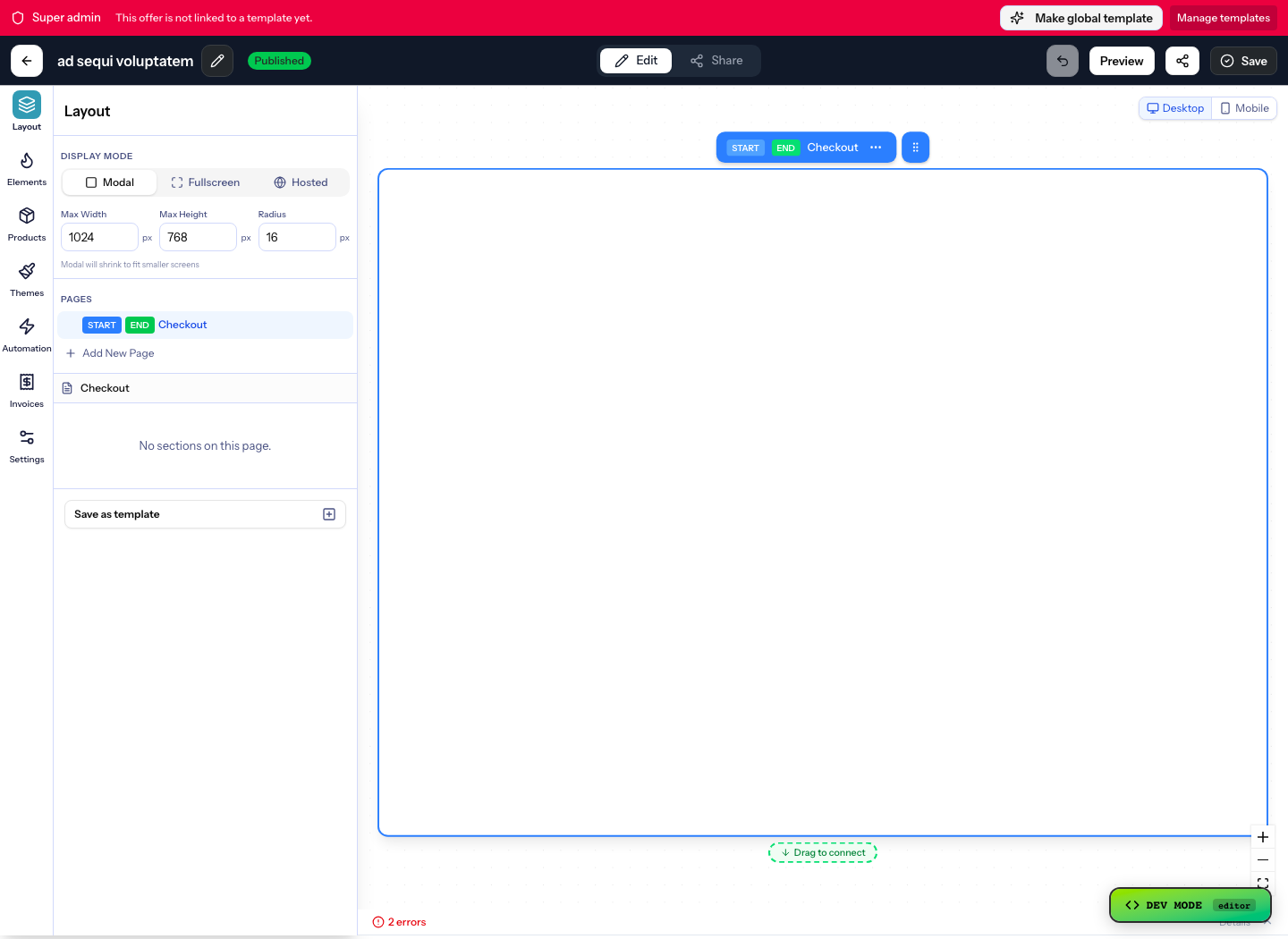
Wire The Buying Moment
The stack should decide when the buyer is ready. Plandalf should decide what the checkout means. Keep the page, campaign, or offer focused on the buying moment, then let the offer carry the checkout mode, product, price, invoice, and automation context.
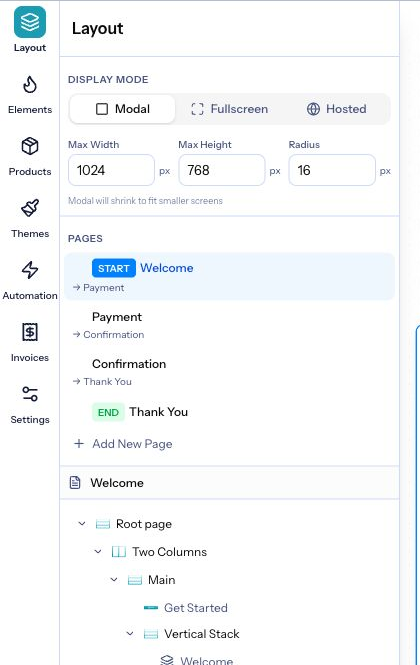
Plan The Data Contract
The useful part of a commerce stack is not the button. It is the agreement between the offer, Plandalf, the payment processor, and follow-up tools about which object owns each piece of commerce state.
Product Surfaces This Stack Depends On
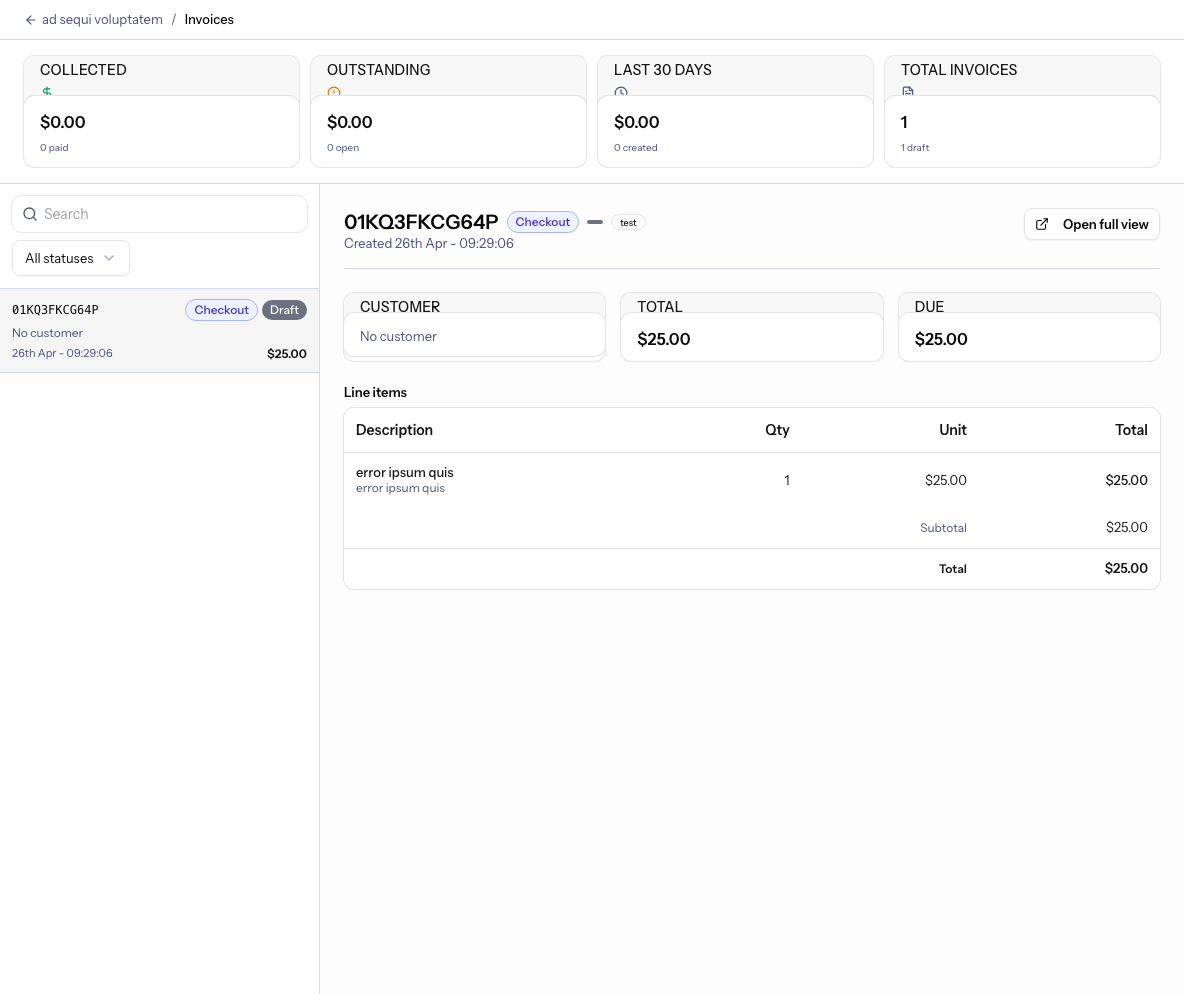
These screenshots come from the product surfaces behind The Course Creator. They show the Plandalf records and controls a builder should configure before sending buyers from Webflow into checkout.
Build Recipes
Use these like product-specific implementation notes: choose the selling moment, configure the Plandalf surface, then link into the exact features, integrations, sequences, and docs needed to ship it.

Sell a cohort, workshop, or course without rebuilding checkout
Outcome: The course platform can keep the learning experience while Plandalf owns the offer, package price, checkout, invoice, and purchase event.
- Create the course, workshop, or cohort as a Plandalf product with a package price.
- Use the course page, lesson preview, or launch email as the demand surface and point the CTA at the offer.
- Keep coupons, order bumps, and upsells inside the offer so the course platform does not become the pricing system.
- Use the completed purchase event to grant access, send receipts, and start onboarding.
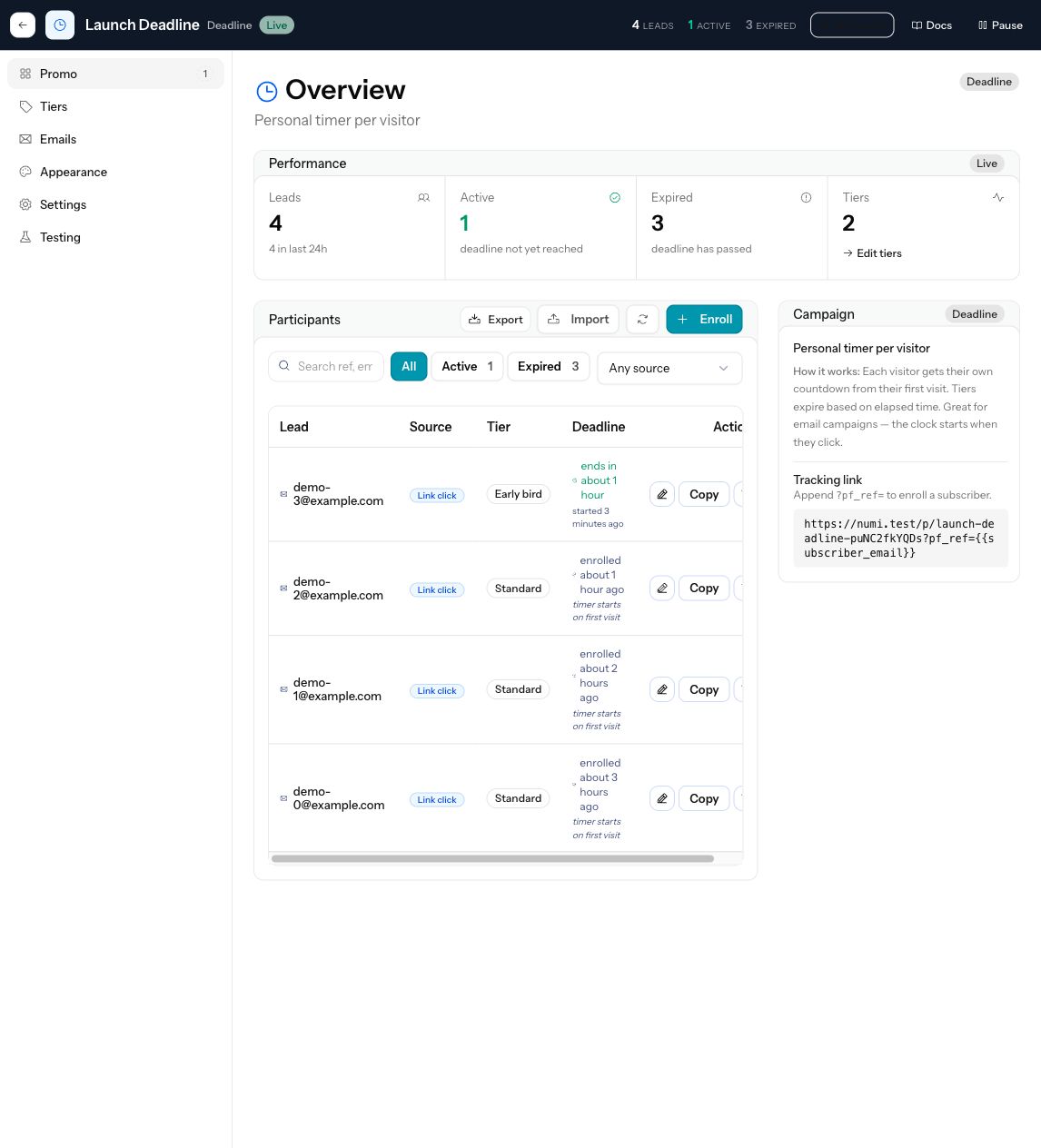
Add a deadline-backed enrollment window
Outcome: Launch copy, coupon rules, checkout totals, and follow-up sequences all agree when enrollment opens or closes.
- Create the offer and price before announcing the launch window.
- Attach a deadline campaign or expiring coupon to the offer instead of making urgency live only in page copy.
- Send reminder traffic back to the same offer from email, the course page, and social links.
- After the deadline, route buyers and non-buyers into different follow-up sequences.
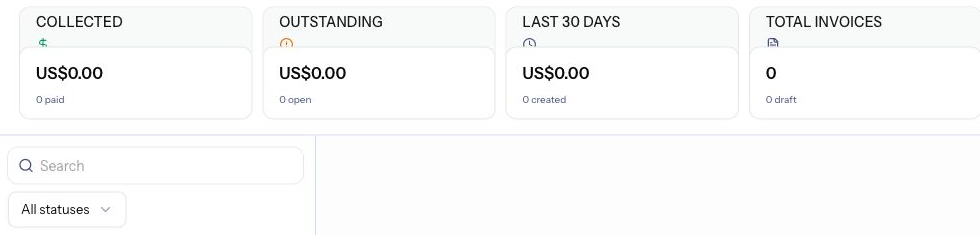
Preserve course buyer records after payment
Outcome: Support can see the buyer, line item, payment state, invoice, coupon, and fulfilment context after the course sale.
- Confirm invoice settings before launch so business buyers can get the receipt they need.
- Use purchase automations to grant course access only after checkout completes.
- Send invoice email and onboarding separately so the buyer receives both the receipt and the next step.
- Keep the purchase event available for LMS, CRM, email, and support integrations.
Compare The Pattern
A commerce stack is different from a processor-only checkout, a marketplace storefront, or a standalone funnel tool. Use these linked comparisons when a builder is deciding whether Plandalf Offers should sit between the sales surface, payment processor, and follow-up tools.
Plandalf vs Gumroad
Compare with Gumroad. Use this when your product already has its own app, catalog, customer identity, and fulfilment path instead of needing a marketplace-style checkout product.
Plandalf vs SamCart
Compare with SamCart. Use this when checkout needs offer automation, product context, invoices, and post-purchase workflows rather than a separate funnel tool beside the business.
Linked Implementation Map
Use this map when The Course Creator turns from an idea into implementation work. Every linked feature, integration, docs page, workflow, comparison, template, and tool is a next step a builder or agent can follow from this stack.
Product surfaces
Configure these Plandalf features before sending buyers into the stack.
Integrations
The tools that own the audience, payment, delivery, tax, CRM, or follow-up path.
Docs handoff
Move from stack planning into exact setup, SDK, API, and webhook reference pages.
Recipes and sequences
Use these when the sale needs fulfilment, lifecycle, webhook, or automation depth.
Comparisons
Decision pages for buyers choosing between Plandalf and narrower checkout, funnel, storefront, or automation tools.
Templates and tools
Adjacent pages that help turn the stack into an implementation plan.
Operational Recipes
These are the practical recipes a builder usually needs after the checkout opens. They stay product-level: Offers, Automations, integrations, invoices, sequences, and payment events explain the workflow before any tool-specific setup.
Send transactional receipts separately from lifecycle email
Trigger: Invoice or purchase recorded
Action: MailerLite handles receipts, while lifecycle tools handle onboarding and expansion.
Keep support and finance records useful
Trigger: Invoice created or payment state changes
Action: Store invoice identifiers, line items, tax context, and customer fields so refunds, support questions, and reporting have a durable record.
Builder Checklist
Before shipping the integration, verify these decisions. If one is unclear, the checkout may open, but the business workflow after purchase will still be brittle.
02Identity mappedYour product can reconcile the buyer, customer, workspace, account, or entitlement after purchase.03Event path chosenFulfilment starts from a purchase event or sequence, not from a front-end success screen alone.04Records preservedInvoices, line items, payment state, and customer fields are available for support and reporting.Next Steps
The Template Shop
Sell digital download products with license-tier upsells and post-purchase delivery.
The Drop Shop
Run a time-boxed drop with a real countdown, a bundle upsell, and segmented re-engagement.
The Kajabi Course Launch
Sell a Kajabi course through a more flexible offer and send each buyer into the right follow-up path.
Substack Shop
Sell a template, report, workshop, membership, or paid download from a Substack post while Plandalf owns the offer, checkout, invoice, and purchase event.
The Newsletter Creator
Monetise an existing newsletter audience by selling one-off products from inside the same list tool.
The Affiliate Tax Launch
Connect affiliate sales, payment options, live tax calculation, and post-purchase reconciliation.